Host the meeting
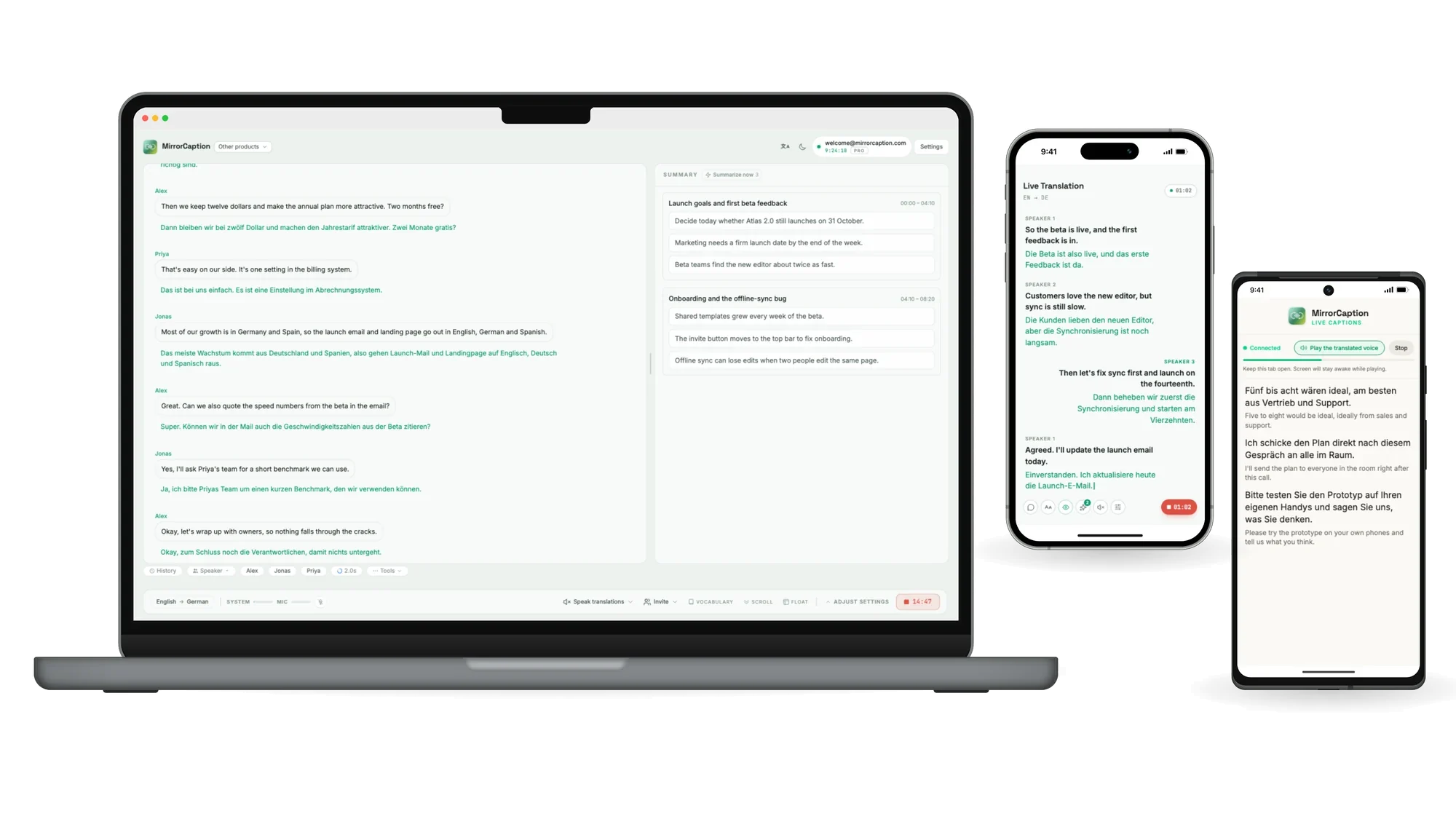
Live translation and an AI summary on your desktop
Join from any phone
Scan the host's QR code to follow live captions
Your pocket meeting assistant
Live translation and notes, wherever you are
Low-latency live transcription & translation in 60 languages. Powered by cutting-edge AI speech models, every word is transcribed and translated the moment it's spoken — on your laptop and on every phone in the room.
Live translation and an AI summary on your desktop
Scan the host's QR code to follow live captions
Live translation and notes, wherever you are
Open MirrorCaption in desktop Chrome or Microsoft Edge during any video call. It captures system audio and your microphone to transcribe every speaker — with live translation into your language. Safari and Firefox are not currently supported. No plugins, no extensions, just a browser tab.
Take MirrorCaption anywhere on your phone. In-person meetings, face-to-face conversations, or traveling abroad — open MirrorCaption in Chrome on mobile, hit record, and every voice gets transcribed and translated live.
No download. No install. Just open your browser and start.
Visit mirrorcaption.com in desktop Chrome or Microsoft Edge. Create your account in seconds. Safari and Firefox are not currently supported.
Choose what you'll hear and what you want it translated into. MirrorCaption handles the rest in real time.
Give MirrorCaption permission to use your microphone or system audio, and you're ready — live captions appear as people speak.
Powerful AI that goes beyond word-by-word translation.
From Mandarin to Arabic, Japanese to Portuguese — we cover the languages your world speaks, with more added regularly.
Translation that keeps pace with live speech. Words appear as they're spoken — no awkward pauses, no waiting for sentences to finish.
Our models understand industry jargon, cultural nuance, and conversational context — not just dictionary definitions.
Automatically identifies and labels different speakers in meetings, so you always know who said what.
Tap any translated word to see exactly which word it corresponds to in the original. Perfect for understanding nuance and learning.
Save unfamiliar words to your personal word book. Turn every meeting and conversation into a language learning opportunity.
Try 1 free hour. Pay only when you need more.
Full access with one year of updates and new features.
Flexible month-to-month billing. Cancel anytime.
No hour limit — made for people who rely on it every day. Cancel anytime.
Annual billing saves ~10% (€248 / seat / year).
Tailored plans for teams of 20+ seats.


Your conversations stay yours — built in the EU, audio never leaves your device, no AI training on your content.
MirrorCaption provides real-time AI translation and captions for meetings and face-to-face conversations. The original and translation appear the moment words are spoken, and it also offers AI summaries, word lookup, speaker detection, and a vocabulary builder.
MirrorCaption works directly in your browser with no plugins, no extensions, and no meeting bot. For video calls, MirrorCaption Meet runs in desktop Chrome or Microsoft Edge and captures system audio and your microphone to transcribe every speaker live. If you prefer a native app, there are desktop builds for Mac and Windows and an Android app on Google Play, plus an iPhone app on the App Store.
You can try MirrorCaption free for 1 hour, and no credit card is required to get started. After that, Monthly is €5.99 for 10 hours a month and Annual is €54.99 for 110 hours a year. Unlimited is €34.99 a month (or €279 a year) with no hour limit. On Monthly or Annual, you can top up with a Voice Pack at any time.
MirrorCaption supports 60+ languages, with more added regularly. It works best on Chrome, and MirrorCaption Meet is supported in desktop Chrome or Microsoft Edge, while MirrorCaption Talk is available in Chrome on mobile.
No install is needed, and you just open your browser and start. The page says audio never leaves your device, live audio is never persisted on their servers, and your content is never used for AI training.
MirrorCaption is suited for people who need live translation in meetings, face-to-face conversations, or while traveling abroad. It also fits people who want captions, speaker labels, and word-level help for understanding nuance or learning vocabulary.